-
Notifications
You must be signed in to change notification settings - Fork 0
Expand file tree
/
Copy pathslides_tidy-basics.qmd
More file actions
352 lines (230 loc) · 6.85 KB
/
slides_tidy-basics.qmd
File metadata and controls
352 lines (230 loc) · 6.85 KB
1
2
3
4
5
6
7
8
9
10
11
12
13
14
15
16
17
18
19
20
21
22
23
24
25
26
27
28
29
30
31
32
33
34
35
36
37
38
39
40
41
42
43
44
45
46
47
48
49
50
51
52
53
54
55
56
57
58
59
60
61
62
63
64
65
66
67
68
69
70
71
72
73
74
75
76
77
78
79
80
81
82
83
84
85
86
87
88
89
90
91
92
93
94
95
96
97
98
99
100
101
102
103
104
105
106
107
108
109
110
111
112
113
114
115
116
117
118
119
120
121
122
123
124
125
126
127
128
129
130
131
132
133
134
135
136
137
138
139
140
141
142
143
144
145
146
147
148
149
150
151
152
153
154
155
156
157
158
159
160
161
162
163
164
165
166
167
168
169
170
171
172
173
174
175
176
177
178
179
180
181
182
183
184
185
186
187
188
189
190
191
192
193
194
195
196
197
198
199
200
201
202
203
204
205
206
207
208
209
210
211
212
213
214
215
216
217
218
219
220
221
222
223
224
225
226
227
228
229
230
231
232
233
234
235
236
237
238
239
240
241
242
243
244
245
246
247
248
249
250
251
252
253
254
255
256
257
258
259
260
261
262
263
264
265
266
267
268
269
270
271
272
273
274
275
276
277
278
279
280
281
282
283
284
285
286
287
288
289
290
291
292
293
294
295
296
297
298
299
300
301
302
303
304
305
306
307
308
309
310
311
312
313
314
315
316
317
318
319
320
321
322
323
324
325
326
327
328
329
330
331
332
333
334
335
336
337
338
339
340
341
342
343
344
345
346
347
348
349
350
351
352
---
format: ### slides
revealjs: ### slides
echo: true ### slides
code-line-numbers: false ### slides
fig-align: center ### slides
slide-number: true ### slides
self-contained: true ### slides
---
# Introduction to _tidyverse_
(A few remarks and tips before the practical session)
# Quick recap from our R bootcamp yesterday
#
<center>
We were not supposed to finish everything, so no stress.
<br><br>
<h3>
The motivation was to get familiar with the background of what makes a "data frame".
</h3>
</center>
## Vectors and lists
- Vectors are collections of values of the same type:
```{r}
sample <- c("Loschbour", "UstIshim", "Saqqaq", "AltaiNeandertal")
coverage <- c(18.2, 35.2, 13.4, 44.8)
archaic <- c(FALSE, FALSE, FALSE, TRUE)
```
. . .
- Lists are collections of _anything_:
```{r}
list("Hello", TRUE, 123)
```
. . .
<center>**... and that "anything" can also include other vectors!**</center>
## An example of such a list of vectors...
<br>
<center>From vectors stored as individual variables...</center>
<br>
```{r}
sample <- c("Loschbour", "UstIshim", "Saqqaq", "AltaiNeandertal")
coverage <- c(18.2, 35.2, 13.4, 44.8)
age <- c(8050, 45020, 3885, 125000)
```
## An example of such a list of vectors...
<br>
<center>To those vectors stored as (named) list...</center>
<br>
```{r}
#| eval: false
list(
sample = c("Loschbour", "UstIshim", "Saqqaq", "AltaiNeandertal"),
coverage = c(18.2, 35.2, 13.4, 44.8),
age = c(8050, 45020, 3885, 125000)
)
```
## Data frame is just that
<br>
<center>A list of vectors...</center>
<br>
```{r}
#| eval: false
list(
sample = c("Loschbour", "UstIshim", "Saqqaq", "AltaiNeandertal"),
coverage = c(18.2, 35.2, 13.4, 44.8),
age = c(8050, 45020, 3885, 125000)
)
```
## Data frame is just that
<br>
<center>... which is just printed as a table.</center>
<br>
```{r}
#| output-location: fragment
data.frame(
sample = c("Loschbour", "UstIshim", "Saqqaq", "AltaiNeandertal"),
coverage = c(18.2, 35.2, 13.4, 44.8),
age = c(8050, 45020, 3885, 125000)
)
```
```{r}
#| echo: false
df <- data.frame(
sample = c("Loschbour", "UstIshim", "Saqqaq", "AltaiNeandertal"),
coverage = c(18.2, 35.2, 13.4, 44.8),
age = c(8050, 45020, 3885, 125000)
)
```
## Indexing into tables: `df[rows, cols]`
<br>
<u>Indexing by columns</u> (**"selecting columns"**)
<br>
<br>
```{r}
df[, c("sample", "coverage")]
```
## Indexing into tables: `df[rows, cols]`
<br>
<u>Indexing by rows</u> (**"filtering rows"**)
<br>
1. **using row numbers**:
```{r}
df[c(2, 3), ]
```
. . .
2. **using `TRUE`/`FALSE` for each row**:
:::: {.columns}
::: {.column}
```{r}
df[c(FALSE, TRUE, FALSE, TRUE), ]
```
:::
::: {.column}
::: {.fragment}
```{r}
df[df$coverage > 30, ] # same thing!
```
:::
:::
::::
## We can also extract columns with `$`
:::: {.columns}
::: {.column}
If `df` is our data frame:
:::
::: {.column}
```{r}
#| echo: false
df
```
:::
::::
. . .
- We can do this:
```{r}
#| output-location: column
df$age
```
. . .
- And also this:
```{r}
#| output-location: column
mean(df$age)
```
. . .
- Or maybe this, etc.:
```{r}
#| output-location: column
is.na(df$age)
```
#
<h1>The bootcamp was<br>"a trial by fire"</h1>
<br>
<p align="right">_tidyverse_ makes everything we had to do<br>the hard way infinitely easier.</p>
#
<center>{width="72%"}</center>
<br>
<center>
<h2>[tidyverse.org](https://tidyverse.org)</h2>
<small><br><br></small>
Nine "core" R packages and a "philosophy of data science design" which
inspired many many more specialized packages.
</center>
#
<center>
{width="60%"}
[link to the paper](https://joss.theoj.org/papers/10.21105/joss.01686)
</center>
## What is _tidyverse_?
<center>
{width="70%"}
</center>
> <small>The _tidyverse_ is a language for solving data science challenges with R code.
Its primary goal is to facilitate a conversation between a human and a computer
about data. Less abstractly, the tidyverse is a collection of R packages that
share a high-level design philosophy [...] so that learning one package makes
it easier to learn the next.<br><br>
> The tidyverse encompasses the repeated tasks at the heart of every data
science project: data import, tidying, manipulation, visualisation, and programming.</small>
# This is still very abstract
#
<h2>In the spirit of hands-on interactivity, we will
leave "theory" and practice work hand-in-hand during exercises.</h2>
## Further companion study material
<center>
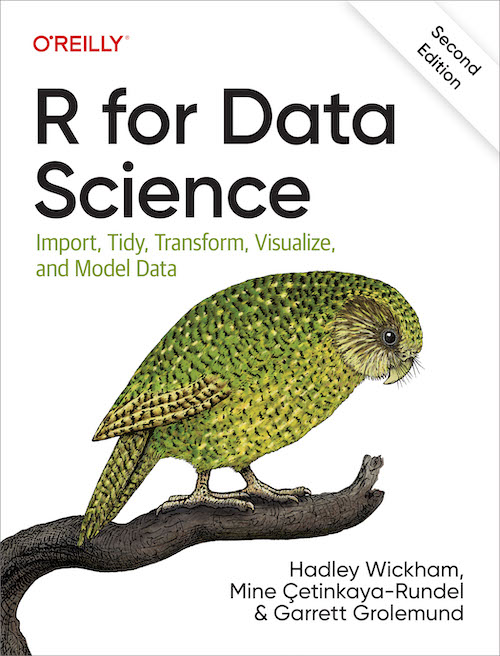{width="40%"}
[https://r4ds.hadley.nz](https://r4ds.hadley.nz)
</center>
# Let's talk about our example data
#
<center>
{width="40%"}
</center>
> <small>_"Western Eurasia witnessed several large-scale human migrations during the Holocene. Here, to investigate the cross-continental effects of these migrations, **we shotgun-sequenced 317 genomes—mainly from the Mesolithic and Neolithic periods—from across northern and western Eurasia**. These were **imputed alongside published data to obtain diploid genotypes from more than 1,600 ancient humans [and about 2,500 present-day humans]**."_</small>
#
<center>

</center>
. . .
**Our exercises will focus on two MesoNeo data sets:**
- Table of metadata information associated with each sample
- Genome-wide data set of Identity-by-Descent segments
## Why those two data sets?
- Table of metadata information associated with each sample
- Genome-wide data set of Identity-by-Descent segments
<hr>
1. Best representatives of modern population genetic data
2. Lots of opportunities to practice _tidyverse_ data processing
3. Even more opportunities to showcase _ggplot2_ possibilities
#
<center><h2>The main reason...</h2></center>
A great example of how to approach totally unfamiliar data!
. . .
<br>
<center><h1>True story.</h1></center>
<center>
<br>Recently, I was given this exact data set. I had to find
my way around it, and figure out how to build a project around it.
</center>
. . .
<center>
<br>**The exercises are retracing my own data exploration journey!**
</center>
# Let's get started!
1. Go to [www.bodkan.net/simgen](https://bodkan.net/simgen)
2. Click on _"Introduction to _tidyverse_"_ in the left panel
- This session will focus on the metadata
- The next session _"More _tidyverse_ practice"_ digs into IBD data
3. _"Cheatsheets and handouts"_ section in the left panel has
a single-page version of these slides and the _dplyr_ cheatsheet
4. Open your RStudio and start working!