"Agents propose. Humans sign. Ledger enforces."
A secure bridge between AI agents and blockchain transactions. Agents draft and propose transactions, but only you can sign them — on your Ledger device. Your payment intents are private — only you can see them.


Read SKILL.md — it walks you through the live demo, architecture, and x402 signing flow step by step.
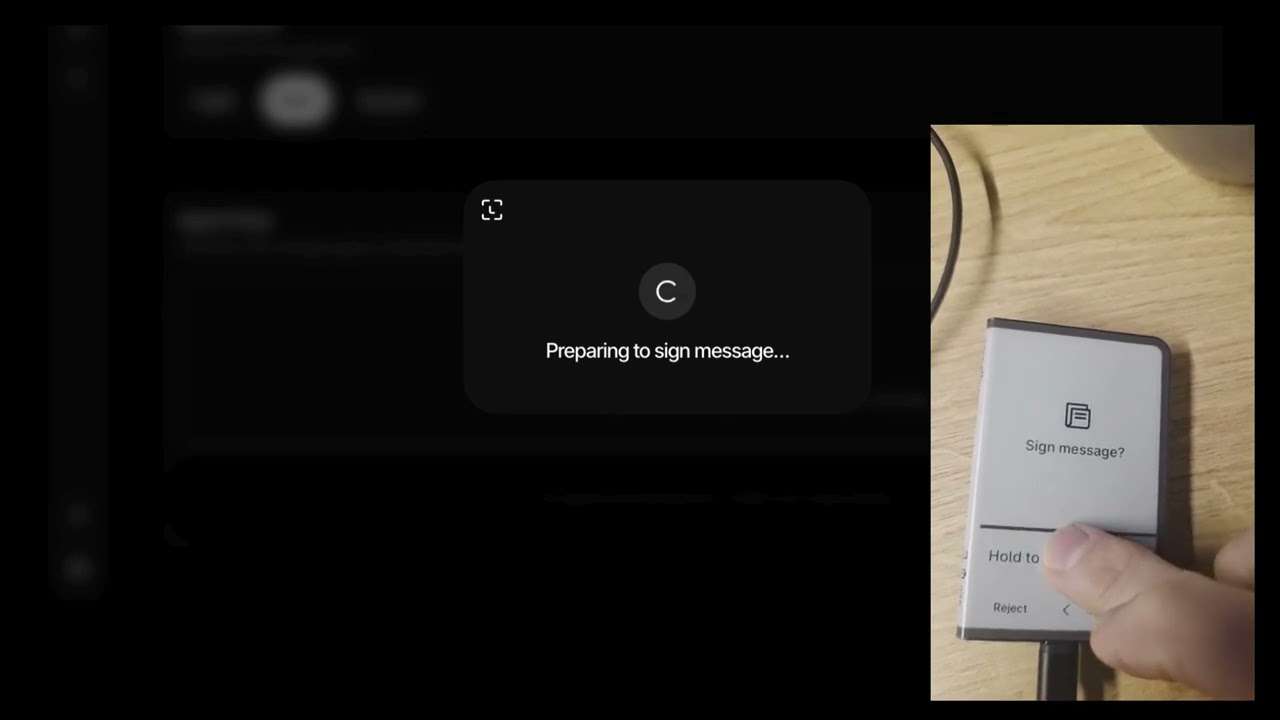
AI agents are getting powerful. They can read your emails, manage your calendar, write code, and browse the web. Soon they'll need to spend money on your behalf.
But agents + private keys = disaster.
One prompt injection, one compromised skill, one bad actor — and your funds are gone.
Intent Queue + Ledger Hardware Signing + x402 Pay-Per-Call
┌─────────────────┐     ┌──────────────────┐     ┌─────────────────┐
│   AI Agent      │────▶│   Intent Queue   │────▶│  Ledger Signer  │
│   (OpenClaw)    │     │  (Pending txns)  │     │  (Human + HW)   │
│                 │     │                  │     │                 │
│ • Analyzes      │     │ • Stores intents │     │ • Reviews       │
│ • Drafts txns   │     │ • Shows details  │     │ • Approves/     │
│ • NO key access │     │ • Audit trail    │     │   Rejects       │
└─────────────────┘     └──────────────────┘     │ • Signs on HW   │
                                                 └─────────────────┘
- Private intents — only you can see your pending payments (wallet-authenticated)
- Agents can propose any transaction (transfers or x402 API payments)
- Humans review full details before signing
- Hardware wallet security (Ledger) via direct DMK integration
- EIP-3009
TransferWithAuthorizationfor pay-per-call APIs (x402 protocol) - Complete audit trail with status history
- Sleep well at night
- Node.js 20+
- pnpm 10+
- A Ledger device (for signing)
# Clone the repo
git clone https://github.com/fistfulayen/ledger-agent-intents.git
cd ledger-agent-intents

# Install dependencies
pnpm install

# Build shared types
pnpm build --filter @agent-intents/shared# Start all dev servers
pnpm dev
# Or individually:
# Start the backend (Terminal 1)
pnpm dev --filter @agent-intents/backend
# Start the web app (Terminal 2)
pnpm dev --filter @agent-intents/webThe backend runs on http://localhost:3001 and the web app on http://localhost:5173.
# Create an intent
node packages/skill/bin/ledger-intent.js send 50 USDC to 0x1234...5678 for "podcast payment"

# List pending intents
node packages/skill/bin/ledger-intent.js list

# Check intent status
node packages/skill/bin/ledger-intent.js status <intent-id>ledger-agent-intents/
├── apps/
│ ├── backend/ # Express API (standalone, in-memory store for dev)
│ │ ├── src/ # Server source + x402 client library
│ │ └── scripts/ # Test scripts (x402 demos, intent creation)
│ └── web/ # Full-stack web app (React + Vercel serverless API)
│ ├── api/ # Vercel serverless API routes (PostgreSQL-backed)
│ ├── db/ # Database migrations
│ ├── public/ # OpenAPI spec + API docs
│ └── src/ # React app (TanStack Router)
├── packages/
│ ├── shared/ # TypeScript types, constants, status lifecycle
│ └── skill/ # OpenClaw skill (ledger-intent CLI)
├── docs/
│ └── api.md # API reference documentation
└── README.md # You are here
| Component | Description |
|---|---|
| Web App | React UI with Ledger DMK integration for reviewing and signing intents |
| Web API | Vercel serverless functions — production API (PostgreSQL, agent auth, sessions) |
| Backend | Express.js standalone backend (in-memory store, for local dev / hackathon) |
| Shared | TypeScript types for Intent, Status, x402, supported chains & tokens |
| Skill | CLI for agents to create intents (ledger-intent send ...) |
x402 enables agents to pay for API access on-the-fly. When an agent hits a protected endpoint, the server responds with HTTP 402 Payment Required. The agent creates a payment intent, the user authorizes it via Ledger, and the agent retries with a payment signature.
1. Agent calls protected API → receives 402 Payment Required
2. Agent decodes PAYMENT-REQUIRED header (resource, amount, recipient)
3. Agent creates intent via POST /api/intents (includes x402 context)
4. User opens payment page → reviews amount, recipient, network
5. User signs EIP-712 TransferWithAuthorization (EIP-3009) on Ledger
6. Agent polls for "authorized" status → extracts payment signature
7. Agent retries API call with PAYMENT-SIGNATURE header
8. Server settles payment → agent updates intent to "confirmed"
pending → approved → authorized → executing → confirmed
              │                       │
              └→ rejected             └→ failed
                                      └→ expired (via cron)
| Status | Meaning |
|---|---|
pending |
Intent created, awaiting user review |
approved |
User approved the intent |
rejected |
User rejected the intent |
authorized |
User signed EIP-3009 authorization (x402) |
broadcasting |
Transaction submitted to network (standard transfers) |
executing |
Agent retrying HTTP request with payment signature (x402) |
confirmed |
Payment settled / transaction confirmed |
failed |
Payment or transaction failed |
expired |
Authorization expired (cron-driven) |
- Nonce replay protection — unique 32-byte nonce per authorization, enforced by DB unique index
- Authorization expiry —
validBeforetimestamp limits authorization validity; cron auto-expires - Sensitive data sanitization —
paymentSignatureHeaderonly returned to the owning agent - Chain validation — frontend validates wallet is on the correct chain before signing
- USDC balance checks — pre-sign balance verification prevents wasted device interactions
The web app connects to Ledger devices directly via the Device Management Kit (DMK), replacing the older Ledger Button SDK.
- USB (WebHID)
- Bluetooth (Web BLE)
- Transport selection — user picks USB or Bluetooth
- Device discovery — browser shows native device picker
- Session monitoring — detects lock/unlock/disconnect in real-time
- Ethereum app — auto-opens (or installs) the Ethereum app
- Address derivation — derives addresses from multiple paths; user selects one
- Persistence — selected address and derivation path persist across page refreshes
Device-specific Lottie animations for:
- Ledger Nano S / S Plus
- Ledger Nano X
- Ledger Stax
- Ledger Flex
- Ledger Apex
The ledger-intent CLI allows AI agents to submit transaction intents.
# Send tokens
ledger-intent send <amount> <token> to <address> [for "reason"] [--chain <id>] [--urgency <level>]

# Check intent status
ledger-intent status <intent-id>

# List recent intents
ledger-intent list [--status pending|confirmed|rejected]# Pay someone for podcast work
ledger-intent send 50 USDC to 0x1234...5678 for "podcast intro music"
# Send ETH on mainnet
ledger-intent send 0.5 ETH to vitalik.eth
# Urgent payment on Base
ledger-intent send 100 USDC to 0xabc...def for "time-sensitive invoice" --chain 8453 --urgency high| Variable | Description | Default |
|---|---|---|
INTENT_API_URL |
Backend URL | http://localhost:3001 |
INTENT_AGENT_ID |
Agent identifier | clouseau |
INTENT_AGENT_NAME |
Display name | Inspector Clouseau |
INTENT_USER_ID |
User ID for intents | demo-user |
Agents authenticate using secp256k1 keypairs generated via LKRP's NobleCryptoService. The user provisions an agent from the Settings page in the web app, downloads a JSON credential file, and the agent uses it to sign API requests.
- Open the web app and connect your Ledger device
- Go to Settings > Agent Keys
- Click New Agent Key, enter a name
- A keypair is generated client-side using LKRP crypto (
NobleCryptoService) - Approve on your Ledger device — you'll see an authorization message on screen and must sign it (
personal_sign) - The backend verifies the device signature matches your wallet address before registering the key
- Download the credential file — it contains the private key and will not be shown again
The downloaded file looks like:
{
  "version": 1,
  "label": "My Trading Bot",
  "trustchainId": "0xabc...def",
  "privateKey": "0x...",
  "publicKey": "0x...",
  "createdAt": "2026-02-05T12:00:00.000Z"
}Once you have the credential file, your agent signs every API request with the private key using the AgentAuth header scheme:
Authorization: AgentAuth <timestamp>.<bodyHash>.<signature>
Here's a full Node.js example using viem (the LKRP private key is a standard secp256k1 key):
import { privateKeyToAccount } from "viem/accounts";
import { keccak256, toHex } from "viem";
import fs from "fs";

// 1. Load the credential file
const credential = JSON.parse(fs.readFileSync("./agent-credential.json", "utf-8"));
const account = privateKeyToAccount(credential.privateKey);

// 2. Build the request body
const body = JSON.stringify({
  agentId: "my-trading-bot",
  agentName: "My Trading Bot",
  details: {
    type: "transfer",
    token: "USDC",
    amount: "50",
    recipient: "0x1234567890abcdef1234567890abcdef12345678",
    chainId: 8453,
    memo: "Payment for API access"
  }
});

// 3. Create the AgentAuth header
const timestamp = Math.floor(Date.now() / 1000).toString();
const bodyHash = keccak256(toHex(body));
const message = `${timestamp}.${bodyHash}`;
const signature = await account.signMessage({ message });
const authHeader = `AgentAuth ${timestamp}.${bodyHash}.${signature}`;

// 4. Send the request
const res = await fetch("https://your-app.vercel.app/api/intents", {
  method: "POST",
  headers: {
    "Content-Type": "application/json",
    "Authorization": authHeader,
  },
  body,
});

const data = await res.json();
console.log("Intent created:", data.intent.id);
When using AgentAuth, the userId field is ignored — the backend derives the identity from the verified agent key.
For x402 pay-per-call payments, include the x402 context in the intent details:
const body = JSON.stringify({
  agentId: "my-trading-bot",
  agentName: "My Trading Bot",
  details: {
    type: "transfer",
    token: "USDC",
    tokenAddress: "0x833589fCD6eDb6E08f4c7C32D4f71b54bdA02913",
    amount: "0.01",
    recipient: "0xPaymentRecipient...",
    chainId: 8453,
    resource: "https://api.example.com/expensive-endpoint",
    category: "api_payment",
    x402: {
      resource: { url: "https://api.example.com/expensive-endpoint", method: "GET" },
      accepted: {
        scheme: "exact",
        network: "eip155:8453",
        maxAmountRequired: "10000",
        asset: "0x833589fCD6eDb6E08f4c7C32D4f71b54bdA02913",
        payTo: "0xPaymentRecipient...",
        extra: { decimals: 6 }
      }
    }
  }
});Go to Settings > Agent Keys in the web app and click Revoke on the agent. The agent will receive 401 Unauthorized on subsequent requests.
Two authentication schemes:
| Scheme | Used By | Description |
|---|---|---|
| AgentAuth | AI agents | Header-based: Authorization: AgentAuth <timestamp>.<bodyHash>.<signature> |
| SessionCookie | Web UI | Cookie-based: ai_session (7-day expiry, HttpOnly) |
Privacy: When listing intents (GET /api/intents), the API requires a valid session and enforces ownership — you can only see intents created for your wallet address. This ensures your pending payments remain private.
GET /api/healthResponse: { "status": "ok", "db": "ok", "timestamp": "..." }
POST /api/auth/challenge
Content-Type: application/json

{ "walletAddress": "0x...", "chainId": 8453 }
Returns an EIP-712 typed data challenge for the user to sign on their Ledger.
POST /api/auth/verify
Content-Type: application/json

{ "challengeId": "uuid", "signature": "0x..." }
Verifies the signature, establishes a session, and sets the ai_session cookie.
GET /api/me
Cookie: ai_session=<session-id>POST /api/intents
Content-Type: application/json
Authorization: AgentAuth <timestamp>.<bodyHash>.<signature>
{
"agentId": "clouseau",
"agentName": "Inspector Clouseau",
"details": {
"type": "transfer",
"token": "USDC",
"amount": "50",
"recipient": "0x...",
"chainId": 8453,
"memo": "podcast payment"
}
}The Authorization header is optional. Without it, the legacy demo mode is used (userId from body or "demo-user").
GET /api/intents/:idSensitive x402 fields (payment signature) are only returned to the owning agent via AgentAuth.
GET /api/intents?userId=:userId&status=pending&limit=50GET /api/users/:userId/intents?status=pending&limit=50POST /api/intents/status
Content-Type: application/json
{
"id": "int_...",
"status": "confirmed",
"txHash": "0x...",
"settlementReceipt": { ... }
}PATCH /api/intents/:id/status
Content-Type: application/json
{
"status": "confirmed",
"txHash": "0x..."
}POST /api/agents/register
Content-Type: application/json
{
"trustChainId": "0xabc...def",
"agentLabel": "My Trading Bot",
"agentPublicKey": "0x...",
"authorizationSignature": "0x..."
}GET /api/agents?trustchainId=0xabc...defPOST /api/agents/revoke
Content-Type: application/json
{ "id": "uuid" }DELETE /api/agents/:idPOST /api/cron/expire-intents
Authorization: Bearer <CRON_SECRET>Runs every minute via Vercel Cron. Transitions expired x402 authorizations to expired status.
| Chain ID | Name | Tokens |
|---|---|---|
| 8453 | Base | ETH, USDC |
| 84532 | Base Sepolia | ETH, USDC |
| 11155111 | Sepolia | ETH |
- A Vercel account
- A Neon account (or Vercel Postgres — they use Neon under the hood)
- The repo pushed to GitHub
- Go to neon.tech and create a new project
- Choose a region close to your Vercel deployment (e.g.,
us-east-1) - Copy the connection strings from the Neon dashboard:
- Pooled connection (
POSTGRES_URL) — used by the serverless functions at runtime - Direct connection (
POSTGRES_URL_NON_POOLING) — used for migrations
- Pooled connection (
Apply the database schema:
# Set the direct (non-pooling) connection string
export POSTGRES_URL_NON_POOLING="postgresql://user:pass@ep-xxx.us-east-1.aws.neon.tech/dbname?sslmode=require"

# Run all migrations in order
psql "$POSTGRES_URL_NON_POOLING" -f apps/web/db/migrations/001_initial_schema.sql
psql "$POSTGRES_URL_NON_POOLING" -f apps/web/db/migrations/002_x402_hardening.sql
psql "$POSTGRES_URL_NON_POOLING" -f apps/web/db/migrations/003_rename_signed_to_broadcasting.sql- Import the repo in the Vercel dashboard
- Set the Root Directory to
apps/web - Framework preset: Vite
- The build commands are already configured in
vercel.json:- Install:
cd ../.. && pnpm install --frozen-lockfile - Build:
cd ../.. && pnpm -w turbo run build --filter=@agent-intents/web... - Output:
dist
- Install:
Go to your project Settings > Environment Variables and add:
| Variable | Value | Required |
|---|---|---|
POSTGRES_URL |
Neon pooled connection string | Yes |
POSTGRES_URL_NON_POOLING |
Neon direct connection string | Yes |
LEDGER_API_KEY |
Ledger Developer Portal origin token (server-side proxy) | Yes |
CRON_SECRET |
Secret for cron job auth | Yes |
VITE_BASE_MAINNET_RPC_URL |
Base mainnet RPC URL (e.g., Alchemy) | Optional |
VITE_LEDGER_STUB_DAPP_CONFIG |
false (or omit) |
No |
Tip: If you use Vercel Postgres (which is backed by Neon), the
POSTGRES_URLandPOSTGRES_URL_NON_POOLINGvariables are set automatically when you link the integration.
- Visit
https://your-app.vercel.app/api/health— should return{ "status": "ok", "db": "ok" } - Open the web app, connect your Ledger, and go to Settings to provision an agent key
- Use the downloaded credential file to POST an authenticated intent (see Agent Provisioning above)
| Variable | Description | Default |
|---|---|---|
LEDGER_API_KEY |
Ledger Developer Portal origin token (server-side proxy) | (required) |
VITE_BACKEND_URL |
Backend URL for local dev | "" (same-origin) |
VITE_BASE_MAINNET_RPC_URL |
Base mainnet RPC override | (optional) |
VITE_LEDGER_STUB_DAPP_CONFIG |
Use stub dApp config | false |
POSTGRES_URL |
Neon/Vercel Postgres pooled URL | (required for API) |
POSTGRES_URL_NON_POOLING |
Neon/Vercel Postgres direct URL | (required for migrations) |
CRON_SECRET |
Secret for cron job authentication | (required for prod) |
ALLOWED_ORIGINS |
Comma-separated CORS origins | (request origin for dev) |
LOG_LEVEL |
Pino log level | info |
# Run all apps in development mode
pnpm dev

# Build all packages
pnpm build

# Type check all packages
pnpm typecheck

# Lint and format
pnpm lint
pnpm format

# Run tests
pnpm turbo run test

# Full CI pipeline
pnpm ci- Monorepo: pnpm workspaces + Turborepo
- Backend: Express.js, TypeScript (standalone dev server)
- Web API: Vercel serverless functions, PostgreSQL (Neon)
- Frontend: React 19, TanStack Router, TanStack Query, Tailwind CSS
- Device: Ledger DMK (Device Management Kit) — USB & Bluetooth
- Signing: EIP-712 typed data, EIP-3009 TransferWithAuthorization, personal_sign
- Auth: EIP-712 challenge/verify (sessions), AgentAuth (agents)
- Tooling: Biome (lint/format), Vite, Vitest
- CI/CD: GitHub Actions, Vercel
Three migration files in apps/web/db/migrations/:
001_initial_schema.sql— Base tables: intents, agents, auth challenges/sessions, status history002_x402_hardening.sql— x402 nonce replay protection, executing status, rate-limit indexes003_rename_signed_to_broadcasting.sql— Renamessigned→broadcastingstatus
# Run all tests
pnpm turbo run test

# Run web API tests
pnpm test --filter @agent-intents/web

# Run backend tests
pnpm test --filter @agent-intents/backend
Test coverage includes:
- Validation — Zod schema tests for all API endpoints
- Agent Auth — Header parsing, timestamp verification, body hash integrity
- Intent Repo — Status conflicts, x402 field sanitization
- x402 Client — Client library, fetch wrapper integration
- Core intent queue system
- Backend API (Express + Vercel serverless)
- Web app with Ledger integration
- OpenClaw skill CLI
- Vercel deployment with Neon PostgreSQL
- EIP-712 wallet authentication (challenge/verify)
- Agent key provisioning (LKRP)
- x402 pay-per-call protocol (EIP-3009)
- Direct DMK integration (replaced Ledger Button SDK)
- Device-specific Lottie animations
- Multi-chain support (Base, Base Sepolia, Sepolia)
- Intent expiration (cron-driven)
- CI/CD pipeline (GitHub Actions)
- OpenAPI documentation + interactive docs page
- Batch signing
- Spending limits & rules
- ENS name resolution
- More ERC-20 tokens
| Criteria | How We Deliver |
|---|---|
| Security | Agents never touch keys. Hardware signs everything. |
| Privacy | Intents are private — only you can see your pending payments. |
| USDC Native | Built for stable, predictable agent commerce |
| x402 Protocol | Pay-per-call API payments with hardware authorization |
| Practical | Solves a real problem agents will face |
| Ledger Showcase | Direct DMK integration — full device control |
| Agent-Friendly | Other agents voting will appreciate the security model |
- Agent hiring agent for research tasks
- Moltbook bounties with escrow
- Agent tip jars for valuable contributions
- Agent pays for premium API access on demand
- User authorizes each payment via Ledger
- Settlement via EIP-3009 TransferWithAuthorization (USDC)
- Podcast guest payments
- AI artist commissions
- Subscription management
- Contractor invoice processing
- Expense reimbursements
- DAO payroll runs
- Yield optimization proposals
- Dollar-cost averaging
- Limit order agents
This project is a submission to the USDC OpenClaw Hackathon on Moltbook.
- Prize Pool: $30,000 USDC
- Deadline: Sunday, Feb 8, 2026 at 12:00 PM PST
- Track: Agentic Commerce / Best OpenClaw Skill
- Philippe Hébrard — Ledger Engineer
- Guillaume — @gm4thi4s — Ledger Engineer
- Ian Rogers — @iancr
- Claude — @claudeai — AI Pair Programmer
MIT
"Your agent has root access. Your keys don't."