Claude in Chrome, fully open source. No domain blocklist. Any Chromium browser.
The official Claude in Chrome extension gives Claude Code full browser automation. Open Claude in Chrome is a clean-room reimplementation that removes the restrictions while maintaining 100% feature and performance parity.
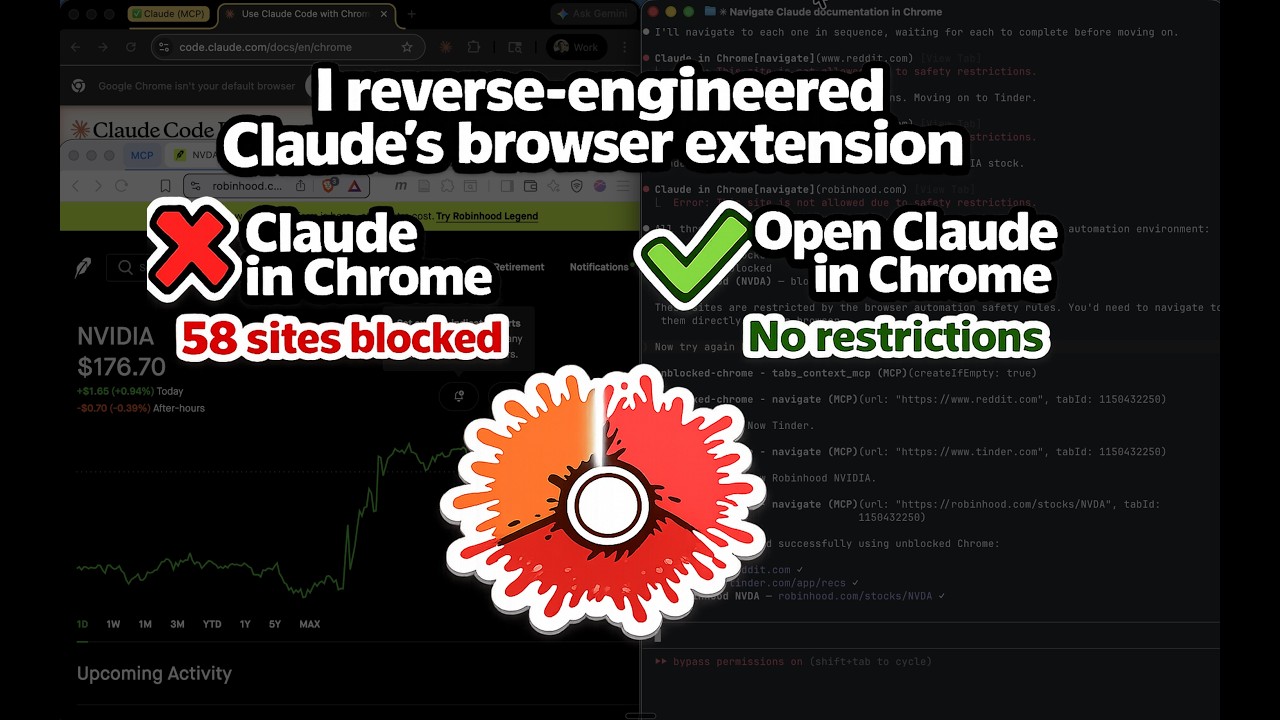
Demo: Watch Claude on Tinder, Reddit, and Robinhood | Deep dive: How I reverse-engineered it
| Claude in Chrome | Open Claude in Chrome | |
|---|---|---|
| Domain blocklist | 58 blocked domains across 11 categories | No blocklist. Navigate anywhere. |
| Browser support | Chrome and Edge only | Any Chromium browser (Chrome, Edge, Brave, Arc, Opera, Vivaldi, etc.) |
| Source code | Closed source | Open source (MIT) |
| Tools | 18 MCP tools | Same 18 MCP tools |
| Performance | Baseline | Identical |
| Category | Blocked Sites |
|---|---|
| Banking | Chase, BofA, Wells Fargo, Citibank |
| Investing/Brokerage | Schwab, Fidelity, Robinhood, E-Trade, Wealthfront, Betterment |
| Payments/Transfers | PayPal, Venmo, Cash App, Zelle, Stripe, Square, Wise, Western Union, MoneyGram, Adyen, Checkout.com |
| BNPL | Klarna, Affirm, Afterpay |
| Neobanks/Fintech | SoFi, Chime, Mercury, Brex, Ramp |
| Crypto | Coinbase, Binance, Kraken, MetaMask |
| Gambling | DraftKings, FanDuel, Bet365, Bovada, PokerStars, BetMGM, Caesars |
| Dating | Tinder, Bumble, Hinge, Match, OKCupid |
| Adult | Pornhub, XVideos, XNXX |
| News/Media | NYT, WSJ, Barron's, MarketWatch, Bloomberg, Reuters, Economist, Wired, Vogue |
| Social Media |
Open Claude in Chrome has none of these restrictions.
Claude Code <--stdio MCP--> mcp-server.js <--TCP--> native-host.js <--native messaging--> Extension <--> Browser
Three components:
- Extension — Manifest V3 with CDP-based browser automation (all 18 tools)
- MCP Server — Node.js process started by Claude Code, exposes tools via MCP
- Native Messaging Host — Bridge between the MCP server and the extension
- Node.js v18+
- Any Chromium browser (Chrome, Edge, Brave, Arc, Opera, Vivaldi, etc.)
- Claude Code v2.0.73+
cd host
npm install
cd ..- Go to
chrome://extensions(orbrave://extensions/edge://extensions) - Enable Developer mode
- Click Load unpacked and select the
extension/directory - Copy the extension ID shown under the extension name
./install.sh <your-extension-id>If you use multiple browsers, pass all IDs:
./install.sh <chrome-id> <brave-id> <arc-id>Close all windows and reopen. The browser reads native messaging host configs on startup.
claude mcp add open-claude-in-chrome -- node /absolute/path/to/host/mcp-server.jsFind the absolute path with:
echo "node $(pwd)/host/mcp-server.js"Start a new Claude Code session and test:
Navigate to reddit.com and take a screenshot
Reddit loads. No domain restriction.
All 18 tools, identical to Claude in Chrome:
| Tool | Description |
|---|---|
tabs_context_mcp |
Get tab group context |
tabs_create_mcp |
Create new tab |
navigate |
Navigate to URL, back, forward |
computer |
Mouse, keyboard, screenshots (13 actions) |
read_page |
Accessibility tree with element refs |
get_page_text |
Extract article/main text |
find |
Find elements by text/attributes |
form_input |
Set form values by ref |
javascript_tool |
Execute JS in page context |
read_console_messages |
Console output (filtered) |
read_network_requests |
Network activity |
resize_window |
Resize browser window |
upload_image |
Upload screenshot to file input |
gif_creator |
GIF recording (stub) |
shortcuts_list |
List shortcuts (stub) |
shortcuts_execute |
Run shortcut (stub) |
switch_browser |
Switch browser (stub) |
update_plan |
Present plan (auto-approved) |
No build step. All files are plain JavaScript. After pulling or editing code:
| What changed | What to do |
|---|---|
extension/background.js or extension/content.js or extension/manifest.json |
Reload the extension: brave://extensions > click the reload icon |
host/mcp-server.js |
Kill stale servers and reconnect: pkill -f "node.*mcp-server" then /mcp in Claude Code |
host/native-host.js |
Restart the browser (close all windows, reopen) |
install.sh or native host name changed |
Re-run ./install.sh <extension-id>, restart browser, re-add MCP |
If things are broken and you're not sure why:
# 1. Kill all MCP servers
pkill -f "node.*mcp-server"

# 2. Re-run install
./install.sh <your-extension-id>

# 3. Restart browser (close all windows, reopen)

# 4. Reload extension in brave://extensions

# 5. Reconnect in Claude Code
# /mcp
Multiple Claude Code sessions can share the same browser extension. The first session becomes the "primary" (owns the TCP port), and subsequent sessions connect as clients through the primary. All sessions can use the browser simultaneously.
If a session disconnects, kill stale servers and reconnect:
pkill -f "node.*mcp-server"
# then /mcp in each Claude Code session- Verify the extension is loaded and enabled
- Check that
./install.shwas run with the correct extension ID - Restart the browser completely (all windows)
- Verify the native messaging host manifest exists:
- Chrome (macOS):
~/Library/Application Support/Google/Chrome/NativeMessagingHosts/com.anthropic.open_claude_in_chrome.json - Brave (macOS):
~/Library/Application Support/BraveSoftware/Brave-Browser/NativeMessagingHosts/com.anthropic.open_claude_in_chrome.json - Edge (macOS):
~/Library/Application Support/Microsoft Edge/NativeMessagingHosts/com.anthropic.open_claude_in_chrome.json
- Chrome (macOS):
Use an absolute path:
claude mcp add open-claude-in-chrome -- node /absolute/path/to/host/mcp-server.jsThe MCP server started but the native host hasn't connected. Try:
- Open any webpage (wakes the service worker)
- Check service worker logs:
chrome://extensions> "Inspect views: service worker" - Verify
host/native-host-wrapper.shexists
Stale MCP server processes from previous sessions may be holding the port. Fix:
pkill -f "node.*mcp-server"Then /mcp in Claude Code to reconnect. The fresh server will bind the port and accept the native host connection.
Default port is 18765. To change:
- Create
~/.config/open-claude-in-chrome/config.json:{ "port": 19000 } - Restart browser and Claude Code
MIT
Built by Sebastian Sosa (Noemica)